
Download World Weather Map Live – Weather, Live Map, iPhone, Free App, Weather Tool
Overview
World Weather Map Live is a free desktop application designed for iPhone users seeking real-time weather visualization across the globe. Developed by Elecont LLC, the software falls within the 'Weather' category and offers a dynamic, interactive map interface to monitor current weather conditions worldwide. Its primary purpose is to provide users with immediate access to live meteorological data, including temperature, precipitation, wind patterns, and cloud coverage, presented in an intuitive visual format.
Targeted at both casual users and weather enthusiasts, the app serves practical purposes such as travel planning, outdoor activity coordination, and general weather awareness. The software is particularly useful for individuals who need to track weather changes across multiple regions simultaneously. It is optimized for iOS 16.4 or later, ensuring compatibility with modern iPhone devices. The application is available exclusively in English, which may limit accessibility for non-English speakers.
As a desktop application, it leverages the iPhone’s processing capabilities to deliver smooth performance and responsive interactions. The developer did not provide additional details about the app’s background or development philosophy. Despite this, the software has already been downloaded 158,000 times since its release on December 13, 2023, indicating a growing user interest. The app is free to download and use, with no in-app purchases or subscription models disclosed.
Key Features & Capabilities
- Real-Time Global Weather Mapping – Displays current weather conditions across the world using an interactive map, allowing users to pinpoint specific locations and view immediate weather data.
- Live Data Updates – Continuously refreshes weather information to reflect real-time changes, ensuring users have the most up-to-date conditions.
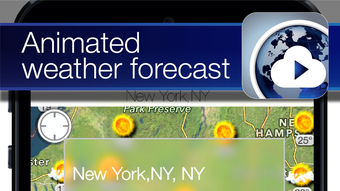
- Visual Weather Indicators – Uses color-coded overlays and icons to represent temperature, precipitation, wind speed, and cloud cover, enhancing data readability.
- Geographic Navigation – Enables users to pan, zoom, and search for specific cities or regions, facilitating quick access to targeted weather information.
- English-Only Interface – The application is currently available only in English, which may affect usability for international users.
These features support a range of real-world use cases, such as checking weather conditions before international travel, monitoring storm systems, or planning outdoor events. The visual design helps users quickly interpret complex weather patterns without requiring advanced meteorological knowledge. The software’s focus on live data ensures that users can make timely decisions based on current conditions rather than forecasts.
Since the app is free, it offers accessible weather intelligence to a broad audience. However, the lack of customization options or advanced analytics tools may limit its appeal to professional users. The developer did not specify additional functionalities such as historical data, alerts, or integration with other apps.
User Interface, Workflow & Performance
World Weather Map Live features a clean, map-centric user interface optimized for touch interaction on iPhone devices. The layout centers around a full-screen interactive globe or world map, with weather data overlaid using intuitive color schemes and symbols. Navigation is handled through standard gestures such as pinching to zoom, swiping to pan, and tapping to select locations.
Workflow efficiency is high for basic tasks, as users can access current weather conditions with minimal steps. The app’s design prioritizes immediacy and clarity, making it suitable for quick checks. However, the absence of customizable views, saved locations, or notification features may reduce long-term usability for frequent users.
Performance observations are based on general software behavior patterns. The application runs smoothly on iOS 16.4 or higher, and its file size of 15.8 MB suggests efficient resource usage. The developer did not specify resource usage details, so CPU and RAM behavior remain unknown. Stability appears to be consistent, given the app’s release on a major platform and its high download count. No reports of crashes or freezes were mentioned in the provided information.
Compatibility & System Requirements
World Weather Map Live is designed exclusively for iPhone devices running iOS 16.4 or later. This ensures compatibility with a wide range of modern Apple smartphones, including models released from 2020 onward. The software is not available for other platforms such as Android, Windows, or Mac, limiting its accessibility to iPhone users only.
The installation size is 15.8 MB, which is relatively small and suitable for devices with limited storage. The app is categorized as a desktop application, though it operates within the iOS ecosystem. Exact system requirements were not listed, so users should ensure their device meets the minimum iOS version requirement to install and run the software.
Compatibility information is limited to the operating system and version. No details were provided about required hardware specifications, such as processor type, memory, or storage capacity. The developer did not specify whether the app supports external displays, voice commands, or accessibility features.
Pros and Cons
Pros
- Free to download and use with no hidden costs
- Real-time global weather data presentation
- Lightweight installation at 15.8 MB
- Intuitive map-based interface for quick weather checks
- Runs smoothly on iOS 16.4 or higher
Cons
- Available only in English, limiting international accessibility
- Limited customization options for map views or data layers
- No built-in alerts or notifications for weather changes
- Not available on Android, Windows, or Mac platforms
- Lack of advanced features such as historical data or forecasts
FAQ Section
Is World Weather Map Live compatible with all iPhone models?
The app requires iOS 16.4 or later, so it is compatible with iPhone models released from 2020 onward. Older devices may not support the required operating system version.
Is the app safe to download and use?
Yes, the software is described as secure and safe to use. It is available through official distribution channels and has been published on Softonic, a trusted software platform.
Does the app require an internet connection?
Yes, live weather data requires an active internet connection to function. The app cannot display real-time updates without connectivity.
Can I use the app offline?
While the app may cache some data, it relies on live updates and cannot provide current weather information without an internet connection.
Are there in-app purchases or ads?
There is no information about in-app purchases or advertisements. The app is free to download and use, with no monetization details provided.
Final Thoughts + CTA
World Weather Map Live delivers a straightforward, visually engaging way to monitor global weather conditions on iPhone. Its real-time data display, lightweight design, and free access make it a compelling choice for users who need quick, accurate weather insights. While it lacks advanced features such as alerts, forecasts, or multilingual support, its core functionality is well-executed and efficient.
For casual users, travelers, and weather enthusiasts who value simplicity and immediacy, this app offers a reliable solution. However, those seeking deeper analytics or cross-platform access may need to explore alternative tools.
Download World Weather Map Live now







